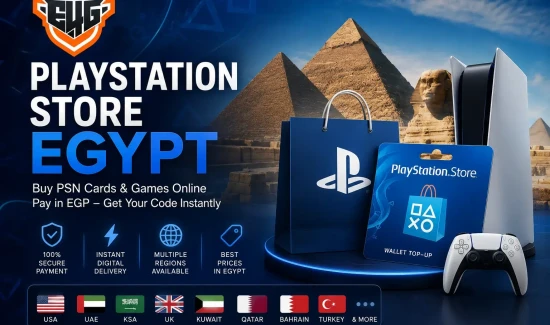


Finding a reliable way to Buy PSN cards Egypt gamers can use is essential when you want to purchase digital PlayStation games, add-ons, in-game content, or eligible PlayStation services without entering an international credit card directly into PlayStation Store.
A PlayStation Network gift card gives you a prepaid digital code that can be redeemed on a compatible PSN account. Once redeemed, the value is added to the PlayStation wallet, allowing the user to shop through the PlayStation Store according to the card’s currency and region.
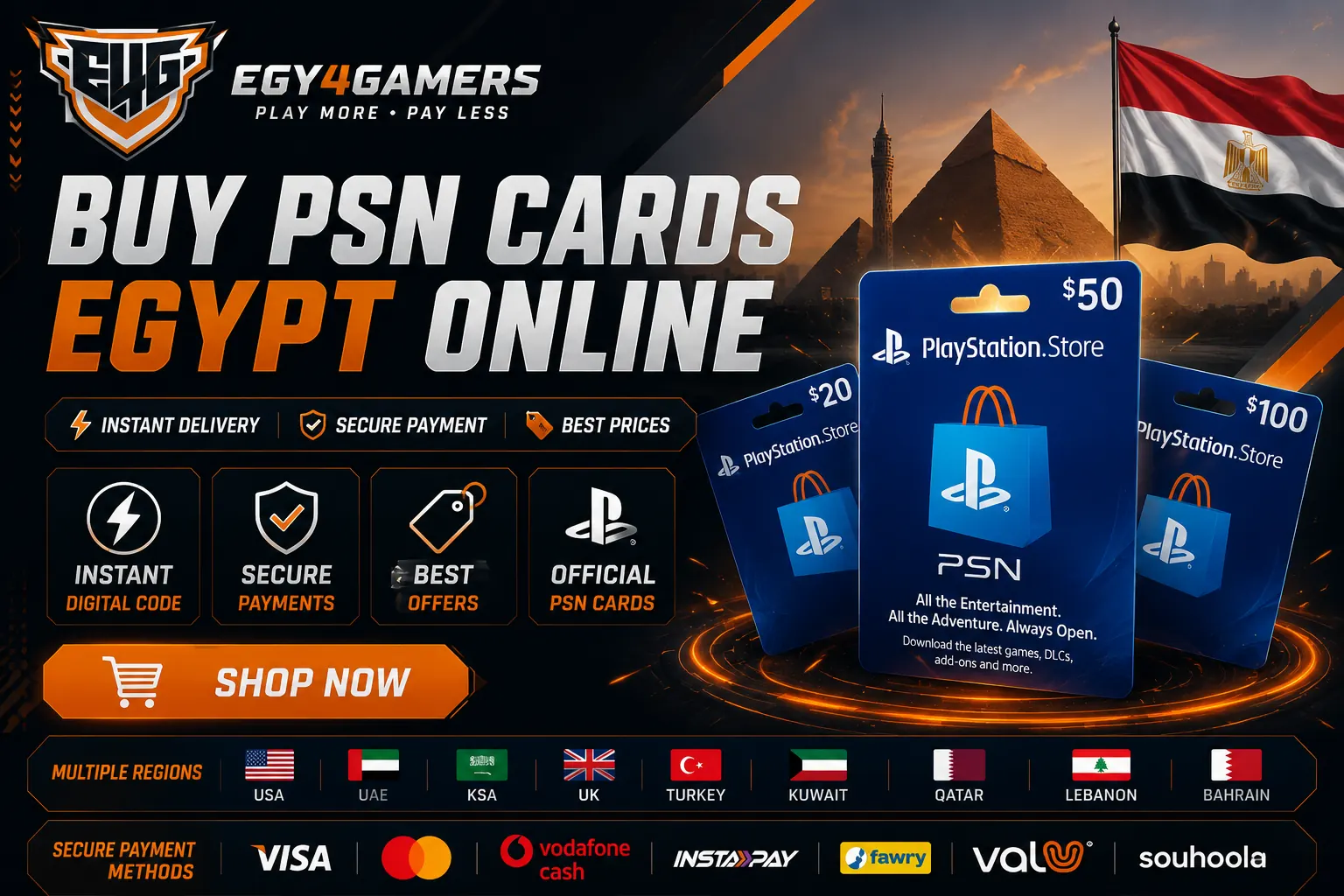
Through the PlayStation Network cards section at Egy4Gamers, Egyptian gamers can browse cards for several account regions, compare available denominations, pay in Egyptian pounds, and receive a digital product without waiting for physical shipping. The store currently organizes PSN cards into regional categories that include the USA, UAE, Saudi Arabia, Kuwait, Qatar, Lebanon, Bahrain, the United Kingdom, and Turkey.
Whether you need wallet credit for a new PS5 release, downloadable content for a game you already own, or a digital gaming gift, buying the correct regional PSN card provides a convenient way to fund your PlayStation account.
What Is a PlayStation Network Card?
A PlayStation Network card, commonly called a PSN card or PlayStation Store gift card, is a prepaid voucher that contains a digital redemption code.
When the code is successfully redeemed, its value is added to the PlayStation Store wallet associated with the account. The wallet balance may then be used to purchase eligible digital products available in that account’s regional PlayStation Store.
PSN wallet funds may be used for products such as:
- Digital PS4 and PS5 games.
- Game expansions and downloadable content.
- Season passes.
- In-game currencies and eligible digital items.
- Game pre-orders.
- Selected PlayStation services.
- Eligible subscription-related purchases.
- Digital entertainment content where available.
PlayStation’s official support guidance explains that wallet funds can be added using a PlayStation Store gift card. It also confirms that PlayStation Store voucher codes normally contain 12 digits and can be redeemed online, through a PS5 or PS4 console, or through the PlayStation App.
Why Buy PSN Cards in Egypt?
Egyptian gamers may face several challenges when trying to pay directly through an international PlayStation Store. These can include payment-card compatibility, different account currencies, regional restrictions, foreign-currency processing, or the inability to use a locally issued payment method with a foreign PSN account.
Buying a digital gift card offers an alternative way to fund the account. Instead of paying PlayStation directly for every purchase, the customer buys a prepaid card that matches the region of the PlayStation account and then redeems the code.
Pay in Egyptian Pounds
Purchasing through an Egyptian gaming store allows customers to view the card price in Egyptian pounds before placing the order.
This makes the total cost clearer and removes the need to calculate the amount manually based on the foreign currency displayed by the PlayStation Store.
The Egy4Gamers shop displays products and shopping-cart totals in EGP, while its PlayStation Network section separates the cards according to their region and value.
Avoid Direct International Card Payments
A PSN gift card allows the player to add prepaid credit without saving credit-card information directly on the PlayStation account.
PlayStation also recommends voucher codes as an alternative when a user cannot add funds using a supported credit or debit card in the account’s country or region.
Receive a Digital Code
PSN cards are digital products, so there is no need for physical delivery. The product is supplied as a code after the payment and order-verification process has been completed.
Egy4Gamers promotes digital delivery for its PSN cards and gaming top-ups. Delivery time may still depend on product availability, the payment method, and any order-verification requirements.
Choose from Multiple PSN Regions
PlayStation accounts in Egypt are not always registered in the same region. One player may use a US account, while another may have a UAE, Saudi, UK, or Turkish account.
For this reason, Egy4Gamers provides separate categories for different PlayStation Store regions instead of offering one universal card.
The Most Important Rule: Match the Card Region to Your Account
Before you Buy PSN cards Egypt online, you must identify the country or region associated with your PlayStation account.
PSN gift cards are not universal. A USA card is designed for an American PlayStation account, while a UAE card must be used with a compatible UAE account. The same principle applies to Saudi, UK, Turkish, and other regional cards.
PlayStation officially confirms that the voucher code and the country or region of the account must match. It also states that the country or region selected when the account is created cannot later be changed.
How to Check Your PSN Account Region Online
You can check the country or region of your PlayStation account by following these steps:
- Sign in to PlayStation Account Management.
- Open Your Information.
- Select the option to edit your residential address.
- Check the country or region displayed at the bottom.
You can also check it through the PlayStation App by opening the account information and reviewing the residential-address section. These steps are provided in the official PlayStation account-region guide.
Other Ways to Identify the Region
You may also be able to identify your account region by reviewing:
- The currency displayed in PlayStation Store.
- Previous PlayStation Store purchases.
- Wallet transaction history.
- Account billing information.
- Emails received after previous purchases.
- The country entered when the account was created.
Do not assume that your account is Egyptian simply because you currently use the console in Egypt. The card must match the country or region registered on the PSN account.
PSN Card Regions Available at Egy4Gamers
The PSN cards category contains separate sections for several PlayStation Store regions. Product values, prices, and availability can change, so customers should review the selected category before placing an order.
PSN USA Cards
The PSN USA Store is intended for PlayStation Network accounts registered in the United States.
USA cards use US dollar denominations and should only be redeemed on compatible American accounts. The Egy4Gamers category lists several card values, although stock and pricing may change.
American accounts are commonly used by gamers who purchase games and digital content from the US PlayStation Store. However, the customer must confirm that the account is genuinely registered in the United States before ordering.
PSN UAE Cards
The PSN UAE Store provides cards intended for UAE PlayStation accounts.
The UAE category contains multiple denominations, allowing customers to choose an amount based on the cost of the game or content they want to purchase. Availability differs between products, so the product page should always be checked before completing payment.
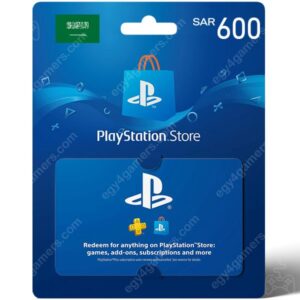
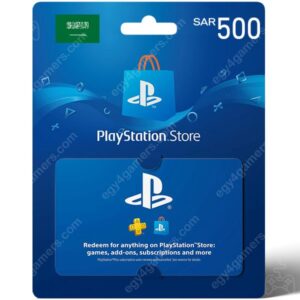
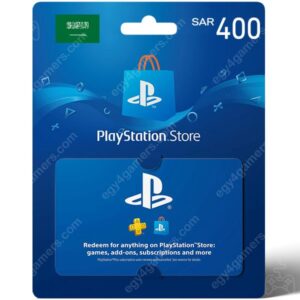
PSN Saudi Arabia Cards
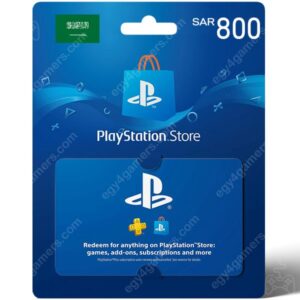
Players using a Saudi account can browse the PSN KSA Store.
Saudi cards must match an account whose country or region is set to Saudi Arabia. Customers should review the denomination, card currency, and account region before adding the product to the shopping cart.
PSN UK Cards
The PSN UK Store offers cards for PlayStation accounts registered in the United Kingdom.
UK cards use British-pound denominations and cannot normally be redeemed on American, UAE, Saudi, or Turkish accounts.
PSN Turkey Cards
The PSN Turkey Store is designed for compatible Turkish PlayStation accounts.
A Turkish card should only be selected after confirming that the PlayStation account itself is registered in Turkey. The physical location of the player does not determine the correct card; the registered PSN country does.
Other Supported Regions
Egy4Gamers also lists cards for Kuwait, Qatar, Lebanon, and Bahrain. Customers can access these regional categories through the main PlayStation Network page.
How to Buy PSN Cards Egypt Online
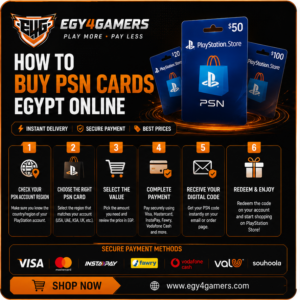
The purchasing process can be completed entirely online. However, every detail should be reviewed carefully because the product is a digital code and regional compatibility is essential.
Step 1: Check Your Account Country
Start by confirming the country or region connected to your PlayStation account.
Do not purchase a card until you are certain whether the account is American, Emirati, Saudi, British, Turkish, or registered in another supported market.
Step 2: Visit the PSN Card Category
Open the PlayStation Network Gift Card section and choose the regional store that matches your account.
The website currently separates PSN products by region, making it easier to avoid purchasing a card for the wrong PlayStation Store.
Step 3: Choose the Correct Denomination
Select a gift-card value based on the amount you need.
Before choosing, check the price of the game, add-on, or digital product inside your regional PlayStation Store. Remember that additional taxes or account-region pricing rules may affect the final amount required.
It may be practical to choose a card that leaves a small remaining wallet balance rather than selecting an amount that is lower than the final Store price.
Step 4: Review the Product Page
Before adding the card to your cart, confirm:
- The card region.
- The currency.
- The denomination.
- The price in Egyptian pounds.
- Current stock status.
- The digital-delivery method.
- Any product-specific instructions.
- The store’s return and refund conditions.
This review is particularly important because Egy4Gamers states that customers must verify a gift card’s region before completing a digital-product purchase.
Step 5: Add the Card to Your Cart
Add the selected PSN card to the cart and review the order summary.
Check the product name one more time. For example, make sure that a USA card has not been selected instead of a UAE card and that the denomination is the one you intended to buy.
Step 6: Complete the Payment
Continue to checkout and select one of the payment methods currently available for the order.
Egy4Gamers product pages display several secure-payment options, including Visa, Mastercard, Vodafone Cash, InstaPay, Fawry, ValU, and Souhoola. The exact methods available at checkout may vary according to the selected product or payment configuration.
Customers searching for a way to Buy PSN cards Egypt with Visa can select Visa when it appears as an available checkout option.
Step 7: Wait for Order Confirmation
After the payment is submitted, the order may need to be confirmed or verified before the digital code is supplied.
Make sure the telephone number, email, or other contact details entered during checkout are accurate so that the order can be processed correctly.
Step 8: Receive and Protect the Code
When you receive the PSN digital code, keep it private.
Do not share a screenshot of the code in public groups, social media comments, or gaming forums. PlayStation voucher codes can only be used once, so anyone who obtains the unused code may be able to redeem it before you.
Keep your receipt and order confirmation until the voucher has been redeemed successfully.
How to Redeem a PSN Digital Code
After receiving the code, it can be redeemed on a PS5, PS4, PlayStation App, or through PlayStation Store in a web browser.
The voucher must be redeemed on the correct account because funds and content cannot be transferred between PlayStation accounts after redemption.
Redeem a PSN Card on PS5
- Sign in to the correct PlayStation account.
- Open PlayStation Store.
- Press the triangle button to access the Store menu.
- Select More.
- Choose Redeem Code.
- Enter the 12-digit voucher code.
- Review the displayed information.
- Select Redeem.
The wallet credit or digital content will then be applied to the account.
Redeem a PSN Card on PS4
- Sign in to PlayStation Network.
- Open PlayStation Store.
- Scroll to the bottom of the sidebar.
- Select Redeem Codes.
- Enter the 12-digit code.
- Select Continue.
- Confirm the redemption.
Redeem through a Web Browser
- Sign in to PlayStation Store online.
- Select your profile at the top of the screen.
- Choose Redeem Code.
- Enter the digital voucher code.
- Select Continue.
Redeem through the PlayStation App
- Open the PlayStation App.
- Select the PlayStation Store icon.
- Open the menu.
- Choose Redeem Code.
- Enter the 12-digit code.
- Confirm the redemption.
The full instructions are available through the official PlayStation voucher redemption guide.
What Can You Buy with a PSN Card?
The redeemed balance can be used for eligible products sold through the PlayStation Store associated with the account.
PS4 and PS5 Digital Games
Wallet credit can be used to purchase eligible full games available in the regional PlayStation Store.
Once the transaction is complete, the game can be added to the account library and downloaded to a compatible console.
Downloadable Content
Players can use PSN wallet funds to purchase expansions, extra missions, maps, characters, story chapters, vehicles, and other downloadable content.
Before buying an add-on, verify that its region is compatible with the base game. PlayStation notes that an add-on may not work with a disc-based game when the regions do not match.
In-Game Currency
Some games sell digital currency, skins, packs, or other items through PlayStation Store.
The availability and use of these products depend on the specific game, account, region, and publisher.
Game Pre-Orders
Eligible upcoming games may be pre-ordered using available PlayStation wallet credit.
Before placing a pre-order, check the release date, supported console, language options, editions, and cancellation rules in the regional Store.
PlayStation Subscriptions
Wallet credit may be used for eligible subscription-related purchases, subject to regional PlayStation requirements.
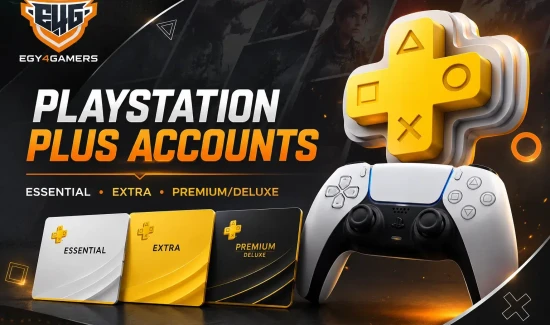
PlayStation states that some subscription vouchers may require a valid payment method to be connected to the account. Egy4Gamers also has a separate PlayStation Plus Subscription section featuring different membership options.
How to Find Cheap PSN Cards in Egypt
People searching for cheap Buy PSN cards Egypt offers should compare more than the initial price.
An unusually low price may not represent a better deal if the card is for the wrong region, is unavailable, has unclear delivery terms, or is sold without reliable support.
When comparing PSN offers, review:
- The card’s actual denomination.
- Its currency and region.
- The final EGP price.
- Any additional payment fees.
- Delivery expectations.
- Current stock.
- Seller contact details.
- Return and refund conditions.
- Payment security.
- Customer-support availability.
The best offer is not automatically the cheapest listing. It is an offer that combines a competitive price with clear regional information, secure checkout, reliable delivery, and support when needed.
You can review current products through the Egy4Gamers online shop rather than relying on old prices published in search results or social media posts. The store’s available products and pricing can change over time.
How to Buy PSN Cards Egypt Securely
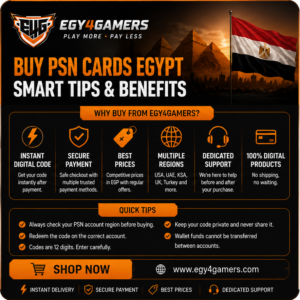
To secure Buy PSN cards Egypt online, customers should follow a few important safety steps.
Use the Official Website Checkout
Complete your order through the official Egy4Gamers website and its checkout process.
Avoid sending complete payment-card information in messages, comments, or unofficial social media accounts.
Confirm the Website Connection
Check that the page uses a secure HTTPS connection before entering payment or account information.
Never Share Your PlayStation Password
Buying a standard PSN wallet card should not require you to share your PlayStation Network password.
You only need to redeem the voucher code on your own account after receiving it.
Check the Product Region
Confirm the card region before payment. This is necessary because PlayStation vouchers must match the country or region of the account.
Keep Your Receipt
Save the order number, payment confirmation, and any communication related to the purchase.
These details may be needed if you contact customer support.
Review Store Policies
Before buying, read the Egy4Gamers terms and conditions and the returns and refunds policy.
The published policy states that electronically delivered digital goods, prepaid gift cards, games, and CD keys are final purchases and that customers must verify regional compatibility before ordering.
Common PSN Card Problems
The Card Is for the Wrong Region
A regional mismatch is one of the most important issues to avoid.
For example, a US gift card cannot normally be activated on a UAE account. Check the account country before purchasing, because the PlayStation account region cannot be changed after the account has been created.
The Code Was Entered Incorrectly
PlayStation Store gift-card codes normally contain 12 digits.
Enter the code carefully and avoid confusing similar characters. Also make sure you are entering a voucher code rather than a separate discount code, which may use a different format.
The Voucher Has Already Been Used
Each code can only be redeemed once.
Check the PlayStation account’s transaction history to see whether the voucher has already been applied. Redeemed vouchers should appear in the transaction details.
The Code Was Redeemed on the Wrong Account
PlayStation does not allow wallet funds or redeemed content to be transferred between accounts.
Always verify the account name and region before confirming redemption.
The PlayStation Network Is Temporarily Unavailable
A temporary PlayStation service issue may prevent wallet funding or code redemption.
Check the official PlayStation Network service-status page and try again after the services return to normal.
A Child Account Cannot Add Wallet Funds
PlayStation states that wallet top-up vouchers for a child should be redeemed through the family manager’s account. The family manager can then apply a monthly spending limit to the child account.
Can You Buy PSN Cards Egypt with Visa?
Customers can purchase eligible products using Visa when it is displayed as an available option during checkout.
Egy4Gamers product pages currently display card-based and local payment methods that include:
- Visa.
- Mastercard.
- Vodafone Cash.
- InstaPay.
- Fawry.
- ValU.
- Souhoola.
Payment availability may vary according to the order, product, or current checkout configuration, so confirm the displayed options before submitting payment.
This makes it possible for users searching for Buy PSN cards Egypt with Visa to pay through a familiar checkout method while purchasing the card in EGP.
Why Choose Egy4Gamers for PSN Cards?
Egy4Gamers is an Egyptian gaming store specializing in PlayStation services, games, PSN digital cards, and several other digital gaming products.
According to the company’s About Us page, the business was established in 2023 and focuses on PlayStation products, PSN cards, digital game cards, and after-sales support for Egyptian gamers.
Customers can benefit from:
- A dedicated PlayStation Network section.
- Multiple PSN regions.
- Different card denominations.
- Prices displayed in Egyptian pounds.
- Digital product delivery.
- Online checkout.
- Visa and local payment options.
- Pre-purchase and after-sales support.
- Separate store-policy and contact pages.
The website also provides a Contact Us page for customers who need assistance before or after placing an order.
Tips Before Buying Your Digital Code
Before you complete your order, use this final checklist:
- Confirm the PSN account country.
- Choose a matching regional card.
- Check the card denomination.
- Review the currency.
- Confirm the EGP price.
- Read the product details.
- Check the available payment methods.
- Review the refund policy.
- Enter accurate contact information.
- Keep the order receipt.
- Redeem the code on the intended account.
- Never share an unused code publicly.
Following these steps helps reduce the possibility of purchasing an incompatible card or redeeming the voucher on the wrong account.
Buy PSN Cards Egypt for PlayStation Store Today
PSN cards provide a practical way for Egyptian gamers to add credit to compatible PlayStation accounts without depending entirely on direct international Store payments.
To place an order, visit the Egy4Gamers PSN card section, select the region that matches your account, choose the required denomination, and complete payment using one of the available checkout methods.
Whether you need to Buy PSN cards Egypt digital code for a game, an expansion, in-game content, or an eligible PlayStation service, always verify the region before completing the transaction.
For assistance in choosing the correct regional card, you can contact Egy4Gamers customer support before placing your order.
Frequently Asked Questions About Buying PSN Cards in Egypt
Can I Buy PSN cards Egypt online?
Yes. You can browse PSN gift cards online, choose a compatible region and value, pay in Egyptian pounds, and receive a digital code after the order is processed.
Are PSN cards delivered instantly?
Egy4Gamers promotes instant digital delivery for its gaming cards and top-ups. Actual processing time may depend on payment confirmation, stock, and order verification.
Can I pay for a PSN card with Visa?
Visa is displayed among the payment methods available on Egy4Gamers product pages. The methods shown during checkout may vary by order.
Which PSN card should I buy?
Buy a card that matches the country or region registered on your PlayStation account. A USA account needs a USA card, while a UAE account needs a UAE card.
Can I use a US card on a Saudi account?
No. PlayStation vouchers must match the region of the PlayStation account.
Can I change my PSN account region?
No. PlayStation states that the country or region cannot be changed after the account has been created.
Can a PSN card be used on PS4 and PS5?
The voucher is redeemed on the PlayStation account rather than being limited to one console model. PlayStation provides redemption instructions for PS4, PS5, the PlayStation App, and web browsers.
Can I transfer the balance to another account?
No. PlayStation wallet funds and redeemed content cannot be transferred between accounts.
Can I return a PSN card after receiving the code?
Egy4Gamers states that electronically delivered digital goods and prepaid gift cards are final and non-refundable. Customers should verify the region and product details before purchasing.
What should I do if the code does not work?
Check that the region matches, enter the code again carefully, review your transaction history, confirm that PlayStation Network services are available, and keep your order receipt. Contact the seller or PlayStation Support if the problem continues.
Conclusion
The easiest way to Buy PSN cards Egypt gamers can use confidently is to choose a trusted store, verify the PlayStation account region, select the correct card value, and complete payment through a secure checkout.
Egy4Gamers provides digital PlayStation Network cards for multiple regions, EGP pricing, online ordering, and several payment options. Browse the available PSN cards and choose the correct digital code for your PlayStation Store account.