

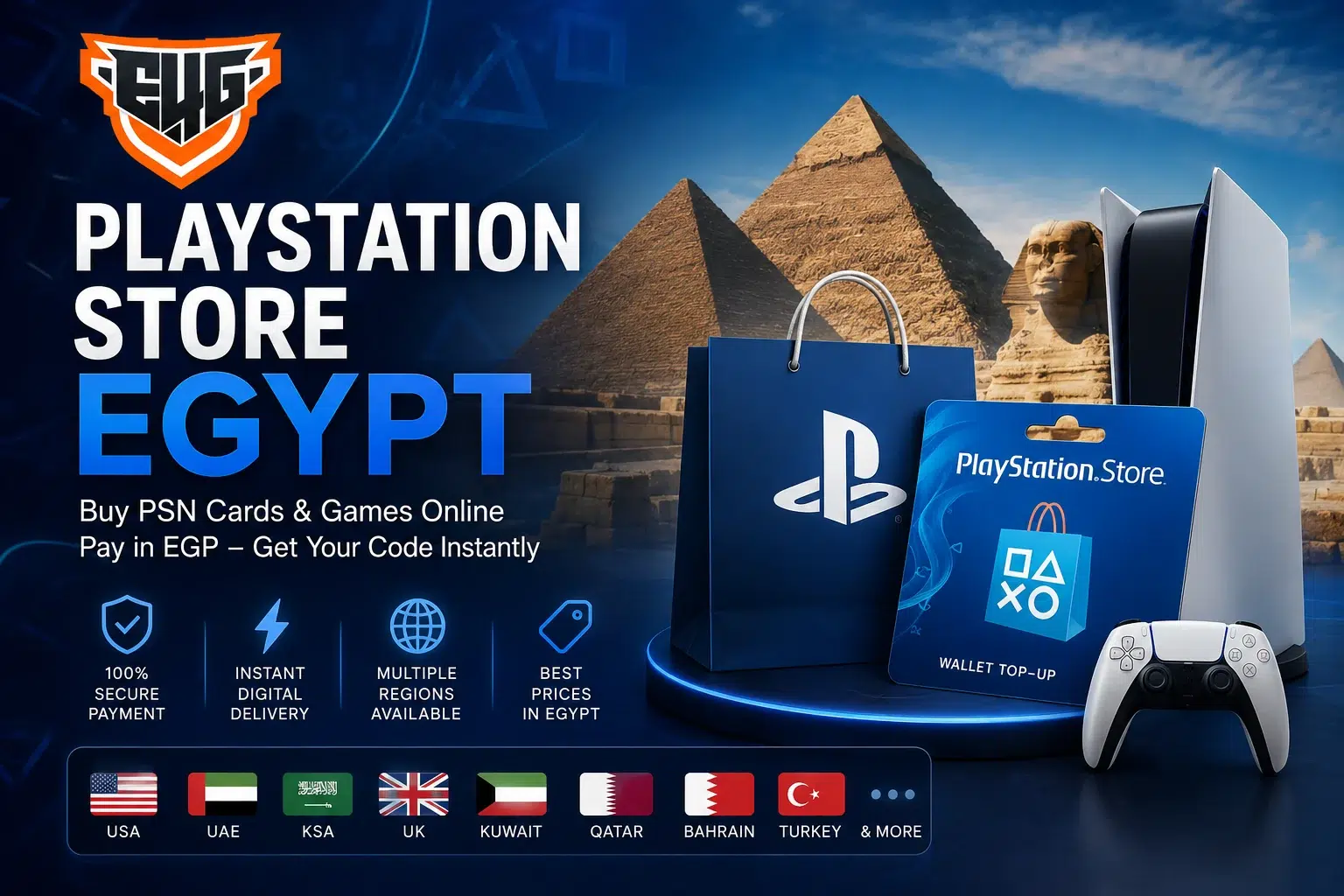
Accessing the PlayStation Store Egypt becomes easier when you have a secure way to add funds to your PlayStation wallet. Through Egy4Gamers, Egyptian players can purchase digital PSN cards, choose a card that matches their PlayStation account region, pay in Egyptian pounds, and receive the code electronically.
The store provides PlayStation Network cards for several regions, including the USA, UAE, Saudi Arabia, Kuwait, Qatar, Bahrain, Lebanon, the UK, and Turkey. This gives customers the flexibility to select the right card for their existing account instead of depending on international bank cards.
Whether you want to purchase a new PS4 or PS5 game, download additional content, renew an eligible subscription, or add credit to your wallet, Egy4Gamers helps you shop for PlayStation products from Egypt through a simple online process.
What Is the PlayStation Store?
The PlayStation Store is Sony’s digital marketplace for PlayStation users. It can be accessed through PS5, PS4, the PlayStation App, or a web browser.
Depending on the user’s account region and available content, the store can be used to purchase:
- Digital PS4 and PS5 games.
- Downloadable content and expansion packs.
- In-game currencies and virtual items.
- Season passes.
- PlayStation Plus memberships.
- Special editions and pre-orders.
- Films and other supported entertainment content.
Customers looking for the Egypt PS Store usually want a convenient way to purchase these products while living in Egypt. Egy4Gamers provides PSN wallet cards and other PlayStation services that can be purchased using prices displayed in Egyptian pounds.
Is There a Separate PlayStation Store Egypt Region?
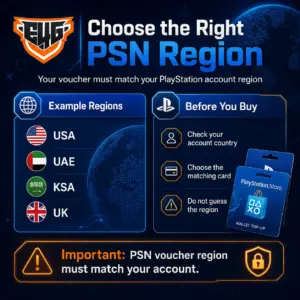
The phrase PlayStation Store Egypt is commonly used by Egyptian players searching for PlayStation games, subscriptions, and wallet cards. However, the country or region selected when creating a PlayStation account determines which store, currency, offers, and voucher codes can be used.
A player in Egypt may have an account registered in:
- The United States.
- The United Arab Emirates.
- Saudi Arabia.
- The United Kingdom.
- Kuwait.
- Qatar.
- Turkey.
- Another supported region.
Your physical location does not automatically determine which PSN card you should purchase. The card must match the country or region registered on your PlayStation account.
PlayStation confirms that voucher codes and the account’s country or region must match. It also states that the account region cannot be changed after the account has been created.
How to Check Your PlayStation Account Region
Before purchasing from the PlayStation Egypt store, check the region registered on your account. This step helps prevent buying a digital code that cannot be redeemed.
You can review your account information through the PlayStation website:
- Sign in to Account Management.
- Open your account information.
- Review the residential address connected to the account.
- Check the country or region displayed in your account details.
- Choose a PSN card issued for the same region.
You can also check the currency shown in the PlayStation Store. For example, an account displaying US dollars may be registered in the USA, while an account displaying British pounds may be connected to the UK.
Do not select a card based only on its price or currency. Confirm the exact account region before placing the order.
Buy PSN Cards for PlayStation Store Egypt
A PSN card is a prepaid digital voucher that adds funds to a compatible PlayStation wallet. Instead of entering a bank card directly into the console, the player purchases a fixed-value code and redeems it through the correct account.
Egy4Gamers provides a dedicated PlayStation Network category containing several regional stores and multiple card values.
After the code is redeemed, the added wallet balance can be used to buy eligible products available through the account’s PlayStation Store.
Available PSN Card Regions on Egy4Gamers
Customers searching for PlayStation Store Egypt can choose from several regional PSN categories on Egy4Gamers.
PSN USA Store
The PSN USA Store is suitable for PlayStation accounts registered in the United States.
USA cards are commonly available in different dollar values. They should only be redeemed through a compatible US account.
PSN UAE Store
The PSN UAE Store provides cards for accounts registered in the United Arab Emirates.
Different denominations may be available, allowing customers to choose an amount based on the game, add-on, or subscription they intend to purchase.
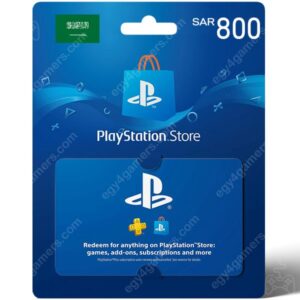
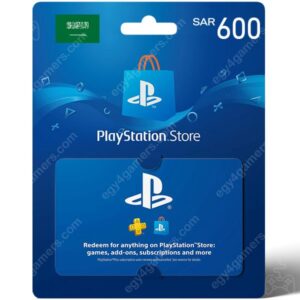
PSN KSA Store
Players with Saudi PlayStation accounts can browse the PSN KSA Store.
The code must be redeemed through a PlayStation account registered in Saudi Arabia.
PSN UK Store
The PSN UK Store provides cards valued in British pounds for UK-region accounts.
Other Regional Stores
The main PlayStation Network category also includes cards for Kuwait, Qatar, Lebanon, Bahrain, and Turkey. Availability and denominations may differ from one region to another.
How to Buy from PlayStation Store Egypt Through Egy4Gamers
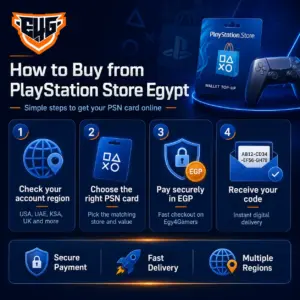
Purchasing a PlayStation wallet card online can be completed through a few simple steps.
Check Your Account Region
Sign in to your PlayStation account and verify the country or region. Never assume that the region matches your current location.
Visit the PlayStation Network Category
Open the PlayStation Network cards section on Egy4Gamers.
Select the Correct Regional Store
Choose USA, UAE, KSA, UK, Kuwait, Qatar, Bahrain, Lebanon, or Turkey based on the country registered on your account.
Choose the Card Value
Select a denomination that covers the expected cost of your game, add-on, or subscription. Remember that the selling price in Egyptian pounds may differ from the face value because of currency conversion and market conditions.
Review the Product Details
Confirm:
- The regional store.
- The card denomination.
- Current price.
- Stock availability.
- Delivery method.
- Product terms.
- Refund or replacement conditions.
Complete Your Payment
Add the product to your cart and complete the checkout process using one of the payment options currently supported by Egy4Gamers.
Receive the Digital Code
After successful payment and order processing, the digital PSN voucher is delivered according to the website’s delivery procedure.
Redeem the Code
Enter the code through the PlayStation Store to add the card value to your compatible wallet.
How to Redeem a PlayStation Store Voucher Code
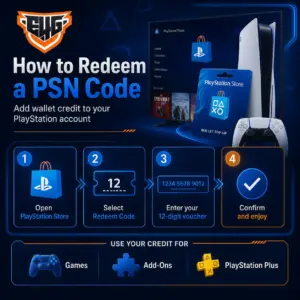
PlayStation Store wallet voucher codes normally contain 12 digits. They can only be used once and must match the region of the account where they are redeemed.
Redeem a Code on PS5
- Open the PlayStation Store.
- Select the menu icon.
- Choose Redeem Code.
- Enter the 12-digit voucher code.
- Select Redeem.
- Confirm that the wallet balance has been added.
Redeem a Code on PS4
- Open the PlayStation Store.
- Scroll down the side menu.
- Select Redeem Codes.
- Enter the 12-digit code.
- Confirm the redemption.
Redeem a Code Through a Web Browser
- Sign in to your PlayStation account.
- Select your profile.
- Choose Redeem Code.
- Enter the voucher code.
- Confirm the transaction.
PlayStation provides an official guide for redeeming PlayStation Store voucher codes on supported devices.
Why Use PSN Cards in Egypt?
PSN cards offer a practical payment method for customers who want to shop through the Egypt PS Store without entering an international bank card directly into their PlayStation account.
They can be useful when:
- A local payment card is not accepted by the account’s regional store.
- The player wants to control gaming expenses.
- A parent wants to provide a fixed gaming budget.
- The card is being purchased as a gift.
- The customer does not want to save bank details on the console.
- The player wants to add wallet credit before a sale or game release.
Because every card has a fixed value, the customer can decide how much to add without linking a permanent payment method.
What Can You Buy with PlayStation Wallet Credit?
After redeeming a compatible PSN card, the wallet funds can be used for eligible purchases available through the account’s PlayStation Store.
These may include:
Digital Games
Purchase complete PS4 and PS5 games and download them directly to the console.
Add-Ons and DLC
Buy new maps, characters, expansion packs, missions, cosmetic items, and other additional content.
In-Game Currency
Use wallet funds to purchase supported virtual currencies or digital items through the PlayStation Store.
PlayStation Plus
Wallet credit may be used toward eligible PlayStation Plus purchases available on the account.
Egy4Gamers also offers a separate PlayStation Plus Subscription category covering available membership options.
Pre-Orders and Special Editions
Customers may use their balance for eligible upcoming games and digital editions available in their regional store.
PlayStation Store Egypt Prices
The price of purchasing a PSN card in Egypt depends on:
- The card’s regional currency.
- Its original denomination.
- Exchange-rate movements.
- Current stock.
- Demand and availability.
- Payment processing costs.
- Active store discounts.
Egy4Gamers displays PSN cards in Egyptian pounds, allowing customers to review the payable amount before completing their order. The product selection and displayed prices may change, so the live category page should be checked when making a purchase.
Choosing the lowest displayed price is not enough. Customers should first confirm that the card is compatible with their account region.
How to Choose the Right PSN Card Value
Start by checking the final price of the game or content you want to purchase through your PlayStation account.
Then:
- Check your current wallet balance.
- Calculate the additional amount required.
- Choose the closest suitable card denomination.
- Consider any taxes that may apply in the account region.
- Leave a small balance margin when necessary.
- Confirm the code region before checkout.
Buying a card with a much larger value than needed may leave unused credit in the wallet. However, purchasing a card with insufficient credit may require a second order.
PlayStation Store Region and Game DLC Compatibility
Region compatibility is not limited to wallet cards. It can also affect games and downloadable content.
PlayStation states that an add-on may not work with a disc game when the country or region of the add-on does not match the region in which the disc was licensed.
For example, a player with a USA game disc should verify that the DLC is purchased from a compatible regional account. Otherwise, the content may be added to the account but fail to connect to the installed game.
Before purchasing DLC:
- Check the game disc region.
- Confirm the account region.
- Review the DLC store region.
- Make sure all three are compatible.
Common PlayStation Voucher Code Problems
A PlayStation Store code may not work for several reasons.
Incorrect Region
The card country does not match the PlayStation account country. This is one of the most common causes of redemption failure.
Incorrectly Entered Code
Re-enter all 12 digits carefully and check similar-looking numbers.
Previously Redeemed Code
PSN voucher codes are single-use products. A code that has already been redeemed cannot be used again.
Expired or Inactive Voucher
Some promotional codes may have activation dates or expiry dates.
Wrong PlayStation Account
The user may be signed in to a different account from the one they intended to recharge.
Temporary Network Problem
A PlayStation Network issue may temporarily prevent code redemption.
PlayStation recommends checking the code, its validity, network status, account region, and transaction history when troubleshooting voucher problems.
Can You Transfer PlayStation Wallet Funds Between Accounts?
Wallet funds cannot normally be transferred from one PlayStation account to another. A code redeemed through the wrong account is linked to that account’s wallet.
For this reason, check the account name and regional store before entering the voucher. PlayStation’s support guidance notes that funds or content cannot be moved from one account to another after a voucher has been redeemed on the wrong account.
Are PlayStation Store Digital Codes Refundable?
Digital voucher codes are sensitive products because they can be viewed and redeemed immediately after delivery. Product pages on Egy4Gamers may state that selected PSN digital products are non-returnable and non-refundable and must be used with the specified regional account.
Before completing the order:
- Review the product region.
- Confirm the denomination.
- Read the product notes.
- Check the account country.
- Verify your contact information.
- Do not share the delivered code.
Customers should contact the store promptly if an order issue occurs before attempting repeated redemptions.
Buying PlayStation Games Accounts in Egypt
In addition to PSN wallet cards, Egy4Gamers offers a PlayStation Games Accounts category containing available PS4 and PS5 game options. The website also provides PlayStation Plus subscriptions and other gaming products.
Customers should review the instructions and product conditions associated with each game account before making a purchase because the setup and usage process differs from redeeming a PSN wallet voucher.
Why Choose Egy4Gamers for PlayStation Store Egypt?
Egy4Gamers focuses on serving PlayStation players and digital gaming customers in Egypt. The website provides:
- PSN cards for multiple account regions.
- Prices displayed in Egyptian pounds.
- Several card denominations.
- Digital code delivery.
- PlayStation Plus options.
- PS4 and PS5 game accounts.
- Secure online checkout.
- Customer support before and after purchase.
The company states that it specializes in PlayStation products, games, and digital cards and aims to provide professional service for Egyptian PlayStation players.
Important Tips Before Using the Egypt PS Store
To complete your purchase successfully:
- Verify the PlayStation account region first.
- Buy a card for the same country or region.
- Choose a value that covers the intended purchase.
- Check whether taxes apply at checkout.
- Confirm DLC and game-region compatibility.
- Keep the digital voucher private.
- Redeem the code through the correct account.
- Review the live price and product status.
- Read all digital product conditions.
These checks reduce the risk of purchasing an incompatible card or adding funds to the wrong account.
Buy from PlayStation Store Egypt Today
The PlayStation Store Egypt gives Egyptian gamers access to digital games, downloadable content, subscriptions, and entertainment through their regional PlayStation accounts. By purchasing the correct PSN card from Egy4Gamers, you can add wallet credit without relying entirely on an international bank card.